Plan your development
Choose a target role and identify skills and experience to develop, with suggestions for your industry and country.


Project Management
Career Proof
Prepare your answers using examples from your own work.
Start with a free tool to record what happened, what you did and the outcome. Use the app to keep your examples, plan your development and prepare for interviews and reviews.
Free browser tools. No account needed.
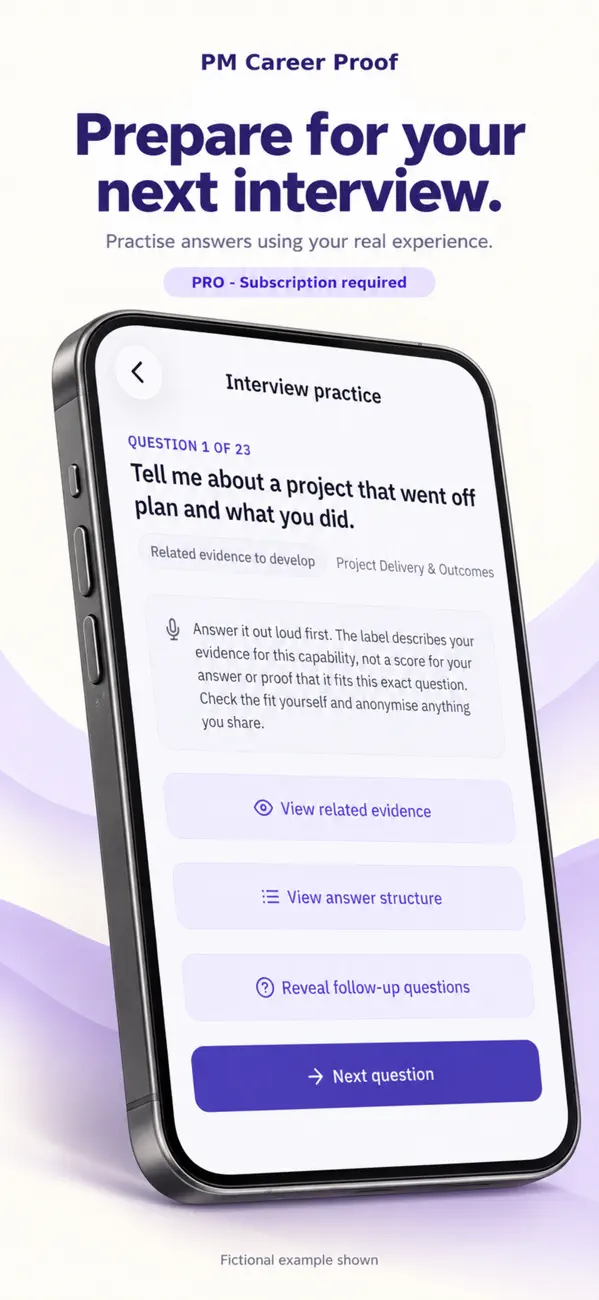
How PM Career Proof helps
Choose a target role and identify skills and experience to develop, with suggestions for your industry and country.
Note the situation, your responsibilities and the action you took. Add the outcome and what you learned when you know more.
Draw on your saved examples when preparing a CV, an interview answer, a performance review or a discussion with your manager.
Free career tools
Write a work example, prepare a message for an AI service or choose a development action. No account or download needed.
Build a note to copy and keep. Only “What happened?” is required. Leave the outcome blank if you do not know it yet.
The sample is fictional. Replace it with your own experience.
Your work example
Save examples in the app and return to them when preparing for an interview or review.
Get the app for saved work examplesChoose a task and add any details you want to include. Review and copy the message, then paste it into an AI service you are allowed to use. You can leave fields blank; the message asks the AI to check missing information with you.
Ready to copy
Choose the role or change you are working towards. The checklist suggests experience to record and discuss with your manager or mentor.
Use this alongside a real job description or your employer’s framework. It is a starting point, not a competence assessment.
Examples to look for
Choose one skill or area of experience to develop, and agree an opportunity to work on it.
Build your plan in Career ProofYour entries are used only in this page and are not saved by the website, sent to analytics or passed to an AI service. Copy anything you want to keep before leaving. The mobile app keeps its own saved records; this page does not add to them. Use fictional or non-confidential details.
AI Career Toolkit
Prepare instructions for an AI service to help with a CV, interview answer or performance review. You choose the examples to include and check the response.
Pick the task and add your role, country and industry.
Check that the instructions describe what you need, and add work examples you are allowed to share.
Open ChatGPT, Copilot, Gemini or Claude. Paste the message and work through the answer there.
On iPhone, one achievement-finding tool is free. The full Toolkit is included while Career Pro is active, or available as a separate one-time purchase where offered. Your app shows availability and pricing.
The iPhone app is available now. AI conversations happen in your chosen service; external AI subscriptions are not included. Use your employer’s approved AI service for work information and follow its rules.
Try the free AI prompt builderAlso from Skythorn Digital
Contract learning
NEC3 and NEC4 practice questions for project managers, quantity surveyors and engineers.
Answer practice questions, read the explanations and review topics you need to study further.
Try NEC practice questionsAvailable now on iPhone and Android.
Skythorn Digital creates independent software for project professionals, informed by hands-on project management experience.
PM Career Proof supports career planning and preparation. ClauseReady provides NEC3 and NEC4 practice and reference material.
For product questions, feedback or enquiries from training providers, educators and organisations, email us.
skythorndigital@gmail.com